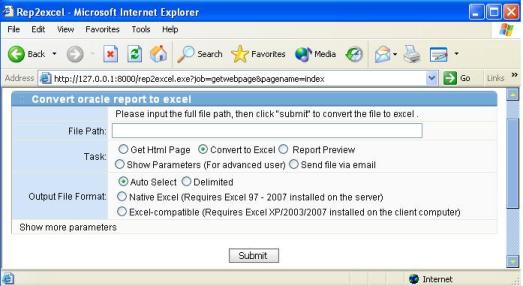
http://server_name:7777/rep2excel.exe
A web page will appear if you open the URL above.
| Install Rep2excel Server |
It is very easy to install Rep2excel Server
1. Download Rep2excel installation pack (zip file)
2. Unzip the installation pack to any folder you want.
3. Logon as administrator; Execute r2esvr_setup.exe.
4. The installation wizard appears, the wizard you guide you finish the instllation.
You need to specify the following
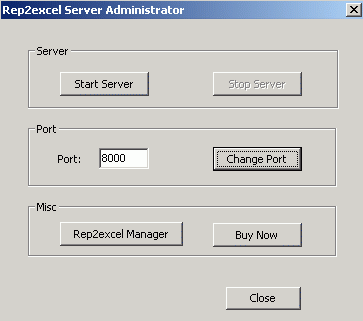
5. Start Rep2excel Server, Test the Rep2excel.
Use IE to test whether rep2excel works. Sample URL, you should changed the
port and server address.
http://server_name:7777/rep2excel.exe
A web page will appear if you open the URL above.
Add this page to favorites, it is not nessary, but recommended.
At the bottom of this page, you will see the links. If the
links not exists, please make sure the r2xls folder is copied
to the root of the web server

| Client site program of Rep2excel Server (Rep2excel Personal Edition) |
Rep2excel Server is running on the server site, when you call Rep2excel Server to handle your reports, It will occupy the resource of the hosting server. You can also export the client site program of Rep2excel server to local pc, and then run the client site program instead. The client site program occupy the resource of local computer.
How to export client site program of Rep2excel Server?
1) Start Rep2excel Server.
2) Open this link from client site in browser.
http://<server_name>:<port>/rep2excel.exe?job=getclientsite
3) Save the file to local disk.
How to use client site program of Rep2excel Server
The client site program of Rep2excel Server is Rep2excel Personal Edition.
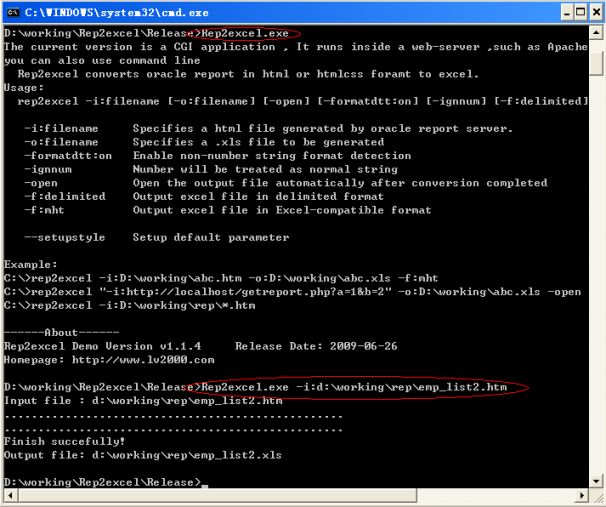
Rep2excel Personal Edition support command line only!
Please use rep2excel --help to get the usage.
| Start/Stop Rep2excel Server |
| Uninstall Rep2excel Server |
Just click Start meun -> Rep2excel Server -> Uninstall Rep2excel Server.