| Common usage |
Generate a report in HTMLCSS or HTML format , Save to file.
HTMLCSS format is recommended. The RepExpert can deteminze the height of each page, so that it can control the printer correctly.
Execute RepExpert.
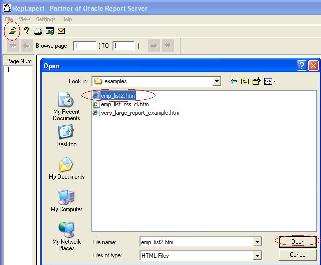
From the "File" Menu, select the "Open" button.
You will now see the standard Windows open dialog box. Navigate to the folder
where you saved report. open the file saved at previously step .
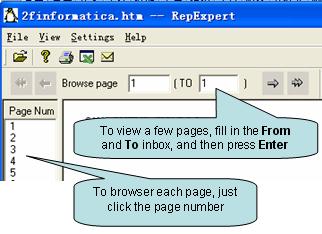
You can browser any pages in the report .
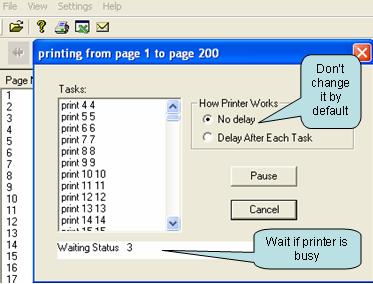
Now let's start printing Click print button on toolbar, "Print" dialog box will display.
Do you know?
You can see RepExpert has select printer automatically. Do you know how RepExpert select the printer and paper size? Please see this section.
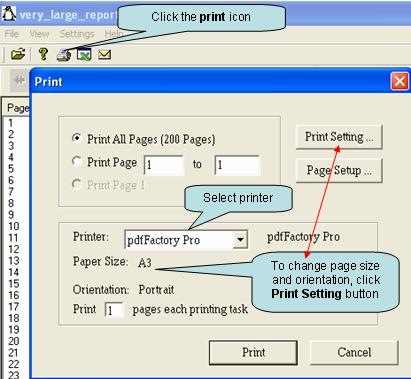
Now , Click Print to start print job !